Author: Dee

3 min read

The hybrid working model seems to be here to stay. Employers are trying to find ways to attract talent in an employee-driven marketplace, with many introducing employee benefit packages as a means to entice and retain. And it seems to be working. Employee benefits are proving to be a huge draw for potential hires. Companies that have introduced employee benefits have been shown to increase productivity and company loyalty.  

What Are Employee Benefits

First of all, let’s quickly discuss what exactly flexible benefits are. We all know the standard conventional benefits such as maternity leave, pension schemes and sometimes health insurance. Employee benefits are an extension of these with the addition of more diverse benefits such as gym memberships, cycle-to-work schemes and even pre-natal classes.  

The main reason behind employee benefits is giving your employees the freedom to choose which benefits they would personally prefer based on what suits them at that stage in their lives. It shows the company cares about the employees and is proven to increase talent attraction and retention in the company. The employee feels more in control and content within the company and it builds a healthy relationship between the two.  

Having benefits such as gym memberships, cycle-to-work schemes etc. available for employees can have a positive knock-on effect on the business. For example, Exercise is known to have a positive effect on health both physically and mentally, this will reduce absenteeism and save money in the long run. 


How Can I Implement Employee Benefits in My Business

Step 1

One of the first steps is to assess your business and see if employee benefits will suit your employees and the work environment. Following this, you must then decide if you want to implement the new benefits system yourself or outsource it to save time, many online consultants do this. You must then take note of what you hope to achieve from the benefits plan, this is important to assess whether or not the new system has worked. 

Step 2

If you choose to develop your own employee benefits plan, you must decide how you wish to calculate the cost of the benefits. You must ask yourself: how much of the costs with the company cover?  

Will the employee be expected to pay a percentage towards the benefits? If so, how much?  

After careful consideration, you must then decide how much you are going to put aside for each employee’s benefits. There are two ways of doing this, you can either put aside a percentage for each employee, based maybe on how long they’ve been with the company or you can decide to implement a flat rate for each employee, no matter how long they’ve been with the company.  

Step 3

You must now choose which benefits you would like to have for employees to choose from. It is important to create a diverse list in order to suit any employee at any stage in their lives. Some examples may be: 

  • Health Insurance 
  • Bike-to-Work Scheme 
  • Childcare Subsidy 
  • Gym Membership 
  • 4-day work week
  • Flexible working
  • Additional Leave 
  • Store Discounts 
  • Dental  
  • Pension Benefits 

Step 4

Deciding on the method of enrolment, hardcopy or an online form to fill out? You must also decide and outline the terms of the employee benefits. Things such as a change of mind or a change in the employees’ circumstances may lead to them wanting to change their benefits plan. Employers must outline the terms and conditions before the employees sign onto the new plan. You must then promote the new employee benefits plan throughout the company and make the employees aware of it. 

Step 5

Evaluating the success of the benefits plan. Following an adequate amount of time elapsed with the new benefits plan in place, circle back to step one and see if it is on track to obtaining your original goal.  

 Overall, employee benefits help create a better employee experience, making your business a more attractive place to work. Also, if your current employees are getting more from their employee benefits, they’re much more likely to refer talented candidates to you to fill new roles.

Employee Benefits – The Answer To The Great Resignation was last modified: July 22nd, 2024 by Jenny Martin

(more…)

1 min read

The biggest asset, besides people, in any business is time. So, whether it’s investing time understanding clients, spending time reviewing your team, or reporting on time wasted,  business is unquestionably all about time. 

(more…)

4 min read

TThe operational hours of your workforce are of utmost significance for a thriving business.

Consistent early or late arrivals among staff can adversely affect the flow of the entire day. This can compromise professionalism, lead to morale issues within the team, and curtail daily productivity. 

What's an Employer’s Responsibility for Tracking Working Hours?

The Working Time Act in Ireland stipulates that the maximum number of hours that an employee should work in an average working week is 48 hours. This working week average should be calculated over a four-month period. There are, however, some exceptions to this average period. Averaging may be balanced out over a 4, 6 or 12-month period depending on the circumstances.

While overseeing a daily routine for a small team working from a single location is relatively straightforward, but it becomes more intricate when dealing with diverse work schedules or remote work arrangements.

Why Should I Use a Clock In System?

Clocking-in systems function as a mechanism for recording the hours worked by your personnel. Employees use the time and attendance system to clock in when starting their work and clock out when they've concluded their tasks.

Why should you automate this process? By streamlining the clock-in/out process, you can accurately record your team’s working hours, saving time and avoiding discrepancies in payroll.

Varieties of Timekeeping Systems

Clocking-in systems have a longstanding history, with the first one devised in 1888. Over time, various designs have emerged to cater to different needs.

There are several distinct types of clocking in systems:

  • Basic time clocks: Including punch card clocks, hand punch clocks, and manual systems.
  • Time and attendance software solutions: Employing time tracking software that automates the process and integrates with HR and payroll functions.
  • Mobile phone apps: These are downloaded from the App Store and directly installed on employees’ smartphones.
  • Biometric time clocks: These would include facial recognition, fingerprint scanning or retinal identification.

How a Clocking In System Can Benefit Your Business

Adopting a clock-in/out system to monitor employee hours yields numerous advantages. It establishes a clear start and end to the workday, contributing to a heightened sense of professionalism among your workforce. Many employees thrive in structured environments. By providing a stable platform, you can anticipate increased productivity. This data enables you to identify and address potential issues that might result in costs, such as:

  • Lateness
  • Absences
  • Break times
  • Sick leave
  • Underperformance

This information has the capacity to spotlight problems across the entire organisation or analyse individual timekeeping concerns.

Time and Cost Efficiency in Payroll Processing

Attendance records contribute to more than just detecting tardiness. Utilising time clock records for payroll procedures (such as HRLocker’s payroll export function) mitigates errors and guarantees accurate compensation on payday.

This proves particularly beneficial for shift-based workers and those under flexible employment arrangements where fixed salaries aren’t applicable. Digital clocking-in systems further streamline this process by providing important attendance records with payroll exports.

Streamlining Management of Flexible Work Arrangements

In a 2021 survey, respondents were asked about the types of flexible working arrangements that they had availed of in the previous 12 months. At an overall level, one in six (16.7%) employees worked flexible hours, when they had a working pattern outside the traditional nine-to-five model.

In Ireland, we're bound by the Organisation of Working Time Act, so the onus is on the employer to keep records of these hours. This can be laborious and time-consuming. Among the available options, using a clock-in/out app stands as the best solution for keeping track of most Irish businesses.

Apart from the typical cloud-based solutions (such as HRLocker) in the marketplace today, there is also the option of a clocking-in app.

Benefits of Using an Employee Clocking-in App

  • Clocking in requires only a smartphone, rendering time clock apps ideal for remote and flexible work.
  • Flexibility to Clock In From Any Location using GPS.

As businesses increasingly adopt remote and flexible work practices, this capability remains pivotal for businesses that wish to stay ahead of the curve.

Cost Savings via Minimal Setup Expenses

While introducing a clocking-in app, it’s essential to offer a viable alternative. Some people might lack smartphones or might be hesitant to use personal devices for professional purposes.

If you'd like to know more about HRLocker’s automated staff signing-in systems, get in touch using the form below.

Staff Signing in System was last modified: August 8th, 2028 by Agile Communications
(more…)

5 min read

What we want from our jobs – aside from the paycheck – is changing. Not too long ago, remote working wasn’t as high on the list. Perhaps childcare or a stationary stipend wasn’t either.

One thing that’s stayed the same is our desire for recognition. We all want that feeling of approval, acknowledgement, and appreciation. We’ll probably always want it from our jobs—even when the aliens visit and we all drive spaceships.

With that in mind, you might expect to see employee recognition programs at the top of every employer’s list. After all, it’s one thing your people are guaranteed to want, and few other rewards can stake that claim.

The truth is that 36% of employees cite a lack of recognition as their number one reason for considering a job change. So clearly, employers are still getting it wrong.

Before we talk about what recognition means in an organisation and how you can do it better, let’s define it.

What is Employee Recognition?

Employee recognition is the acknowledgement of an employee’s contributions to the company. It doesn’t have to be linked to their day-to-day role; perhaps they set up a learning group to share knowledge or planned a fantastic social event to bring colleagues together.

Employee recognition can take many forms. A simple thank you from a manager or an award presented at a public event. Your employees may prefer public or private recognition (more on that later), so you’ll need to be aware of their preferences.

Employee recognition is the bedrock of a great total rewards package. It’s easy to implement, often overlooked, and critical to motivating and incentivising employees.

Why is Employee Recognition so Important?

Where recognition programs are in place, teams are more engaged and productive, and companies experience lower turnover. We explore the psychological need for recognition much further in our whitepaper, but for this article, all you need to know is that recognition makes your people feel great, and when they feel great, they do amazing work.

Total Rewards, Recognition and Management – Employee Experience Whitepaper


It’s not just the person receiving recognition who benefits. Imagine you’re at your employer’s awards ceremony, and one of your team members wins an award. Seeing them rewarded for their contributions can be motivating and inspiring. Chances are, you might want to experience the same thing.

Recognition also provides employees with a gauge of how good they are at their jobs. If you’ve ever experienced imposter syndrome, you’ll know that it can make you doubt your abilities in an instant.

Providing employees with recognition reminds them that they’re good at what they do. If they receive lots of it, they’ll keep doing the things that trigger praise. We could all use a gentle steer sometimes, and recognition is a great vessel for doing that.

Individual recognition has its place, but recognition of teams has also been shown to inspire success. According to Gallup data, praising teams encourages collaboration and deters information hoarding. Over half of the people on teams that receive recognition believe that they share knowledge, information, and ideas openly.

What’s more, recognition can reconnect teams with their sense of meaning and purpose. Research from Gallup identified that 74% of people whose teams receive praise also agree that they feel their work is valuable and useful.

How to Recognise Your Employees

Some people want public recognition, others prefer to have it privately. It’s your job as an employer to ask them how they want to be recognised.

While public recognition can have the knock-on impact of motivating colleagues who are not being recognised, some people would prefer not to have this attention. A handwritten thank-you note, or even a video message where you express gratitude and give praise, could work well in this instance.

Recognition doesn’t need to be a team leader to team member exchange. It’s better if recognition and appreciation come from everyone. You can cultivate this in your workplace by asking teams to share peer-to-peer feedback, writing thank-you messages, and generally making time to express gratitude on a day-to-day basis.

That could look like a five-minute round of thank yous at the beginning of your weekly meeting or sharing one act of kindness from your peers that made a difference in your week. Making recognition part of your culture means that when team members move into leadership roles, they’re already primed and prepped on how to show gratitude to their teams.

Two girls happy at work

You can recognise teams and individuals for different reasons. Praising individuals will encourage them to pursue their individual goals or KPIs. Praising teams will encourage them to continue working together effectively and inspire other teams who want the same praise.

The logistics of delivering praise at the right time to the right people can be handled by the right tech. Take advantage of smart HR platforms that allow you to schedule performance reviews, record feedback, and track KPIs. And don’t forget to record employee preferences for recognition in your HR software so you deliver every thank you in the right way to the right person.

Many of these systems automatically flag when individuals meet targets, so leaders don’t need to keep checking up on who should be recognised. Two-way systems, where both leaders and team members can see their performance and recognition at a glance, enable individuals to take ownership of their progress.

While the act of sharing gratitude should always feel human and not robotic, HR systems can help you monitor and manage your recognition program so that no one falls between the cracks.

Employee recognition is one of the few features you can add to your total rewards package today. Isn’t it time you got started on yours?

Employee Recognition in the Workplace. Why is it so Important? was last modified: July 29th, 2025 by Agile Communications

(more…)

6 min read

In Ireland, gender pay gap reporting has come to the fore with the introduction of the Gender Pay Gap Information Act in 2021. Beyond ensuring equal pay for equal-value work – which is required under the Employment Equality Acts – it’s about gender representation. It highlights the disparity in the proportion of women in lower-paid jobs compared to men.

When it first came into force, in 2022, the Act mandated that organisations with more than 250 employees report their hourly gender pay gap across a range of metrics annually. In 2024, the requirement was extended to organisations with 150 or more employees.

As of 2025, the Act applies to those with 50 or more employees. This means that even smaller firms have to report their gender pay gap, making it crucial for all HR professionals to understand and prepare to meet these ongoing requirements.

The extended reporting mandate, a key element of a broader strategy, is set to significantly enhance female workforce participation and address gender employment disparities across even more workplaces. While it won’t entirely resolve the underlying issues, it is a crucial and positive step forward. However, it does introduce an additional burden for smaller companies.

Non-compliance with these regulations can lead to serious reputational damage. Therefore, it’s vital that all affected companies thoroughly understand and adhere to these new reporting requirements. Yet, as our recent research uncovered, just weeks before the mandate extended to smaller companies, more than half of businesses were ill-prepared, as only 45% had reviewed their pay rates by gender in the previous year.

In another blog, we explained what the pay gap is and what GPG reports entail. 

Here, we delve into the specific aspects of GPG reporting requirements and best practices.

Key Considerations When Reporting Your Gender Pay Gap

GPG reports must, by law, follow specific rules. That means abiding by strict definitions and certain parameters. The Government has published some comprehensive guidance for employers, which you should familiarise yourself with. However, it’s extremely detailed and complex, so you might want to get some advice from an expert. 

Standout directives include:

1. All public and private sector employers with 50 or more employees need to select a snapshot date in June. All calculations and reporting are based on the employee data as of this chosen date.

2. The deadline for reporting is within six months of the June snapshot date, falling in December for all organisations. 

3. Reports must feature a series of essential metrics that capture a comprehensive picture of the gender pay gap, including:

  • Hourly pay differences between male and female employees.
  • Bonus pay differences between male and female employees
  • The proportion of male and female employees receiving bonuses and benefits in kind.
  • The distribution of male and female employees across pay quartiles.

4. Reports must also include commentary that addresses various aspects of the organisation’s gender pay gap and sets out an action plan of measures to address the gender pay gap and promote gender equality.

5. GPG information must be published on the employer’s website or in some other manner that is accessible to all its employees and to the public for a period of at least three years. 

Knowing what you need to include in your GPG report is only the first step. To ensure that it complies with requirements, you need to have a plan in place, collect, and then analyse all the necessary information. 

To help, we’ve outlined some actionable steps that will help you complete the process.

Gender Pay Gap Reporting Compliance and Best Practice

To ensure transparency and make real progress in closing the gender pay gap, you need to go beyond just meeting legal requirements. From collecting detailed pay data to calculating the gap and creating an explanatory narrative, these measures will help you create a fairer and more inclusive workplace.

1. Identifying employees and collecting the data

Identify your workforce: The first step is to accurately identify all employees as of your chosen snapshot date in June. This is the foundation for all of your gender pay gap calculations, covering everyone employed on the snapshot date, whether full-time, part-time, on temporary or fixed-term contracts, or on statutory leave.

Collect comprehensive pay data: Next, you must gather detailed information on all pay elements for each employee, such as basic salary, bonuses, overtime, and other benefits. Statutory and top-up payments made to employees on statutory leave, like maternity, paternity, or parental leave, should also be included in your pay calculations.

2. Calculating the gender pay gap

Convert pay data to hourly rates: You then need to convert the collected pay data into an hourly rate to standardise comparisons between full-time and part-time workers. This will allow you to calculate both the mean (average) and median (middle) gender pay gaps, ensuring that the differences in earnings between men and women across your organisation are transparent​.

Address special pay components: With effect from 31 May 2024, The Gender Pay Gap Information Regulations (the Regulations) were updated requiring you to factor share options, interest in shares, and certain statutory leave payments (e.g., maternity, paternity) into the gender pay gap calculations as part of employees’ “basic pay” and “benefit in kind.”​ Handling these components correctly when calculating the gap is essential.

3. Analysing the pay gap

Break down the data by contract type: You must conduct additional analyses for specific groups, such as part-time employees or those on fixed-term contracts, to provide a clear picture of disparities within these categories. This analysis is crucial as part-time workers, who are more likely to be women, often face larger pay gaps.

Examine pay quartiles: You are further required to split your workforce into four equal quartiles based on hourly pay to see the distribution of men and women across different pay levels. This pay quartile analysis will flag whether men dominate higher-paying roles and women occupy lower-paying roles, as is often the case in organisations with large pay gaps​. 

4. Prepare a narrative

Identify causes of the pay gap: Creating a narrative is a critical element of the report. You must prepare a written explanation outlining the reasons behind the gender pay gap. You should include factors like the underrepresentation of women in senior roles, gender imbalances in bonus payments, or a higher proportion of women working part-time​.

Outline your solutions: Your narrative must also include actions your company is taking or plans to take to address these issues. Strategies may range from mentorship programs aimed at promoting women to senior roles to revisiting bonus criteria to ensure they are distributed more fairly.

5. Establish continuous monitoring and a regular reporting process

Annual reporting requirements: Compiling your GPG report isn’t a one-off requirement—it’s something that you must do every year. To prepare for this ongoing task, you should implement a system for regular data collection and monitoring. It could include the likes of:

  • Regular pay audits
  • Monitoring recruitment and promotion practices
  • Reviewing bonus and incentive structures
  • Developing more flexible working policies

This will also enable you to make continuous improvements in reducing gender disparities.

Develop an action plan: Beyond merely meeting reporting requirements, you should encourage your company to create comprehensive action plans that address the root causes of the pay gap, such as occupational segregation or barriers to career progression for women. This is where your narrative comes to life. You need to show that the plans you’ve proposed are more than just words on paper and that you’re taking affirmative action to reduce your pay gap.

Where To Get More Gender Pay Gap Reporting Information

We realise GPG reporting can be daunting, especially if it’s your first time. We hope this guide helps, but we recognise it won’t be able to answer all of your questions. If you’re in any doubt or have specific queries, we recommend you seek specialist advice from a legal professional. 

You can also access more information from reliable sources, such as: 

Additional free resources from HRLocker:

Understanding Irish Gender Pay Gap Reporting Metrics was last modified: August 21st, 2025 by Agile Communications
(more…)

4 min read

Let’s face it—hiring takes time. A lot of it. Between manually reviewing CVs, coordinating with hiring managers, writing job ads, chasing feedback, and sending emails to candidates, it can feel like your entire week gets swallowed by admin.

The good news? It doesn’t have to be that way.

With the right applicant tracking system (ATS), your HR team could save 10+ hours every single week—and that’s just the beginning. At HRLocker, we’ve seen firsthand how the right tools can transform a slow, manual hiring process into a streamlined, strategic machine.

In this article, we’ll show you exactly how an ATS delivers that time-saving magic—and why your team shouldn’t go another hiring cycle without one.

Where Does All the Time Go in Recruitment?

Before we talk about saving time, it’s worth looking at where it’s currently being spent. Here are just a few of the common time drains your team probably faces:

  • Manually posting jobs to multiple boards and company pages
  • Filtering hundreds of CVs by eye
  • Coordinating interview availability with busy hiring managers
  • Following up with candidates at different stages of the funnel
  • Updating spreadsheets and internal notes to track progress
  • Reporting on hiring metrics and status updates

Individually, these tasks might only take a few minutes. But when multiplied across multiple roles, applicants, and decision-makers, they eat into your week—fast.

How an ATS Saves Time at Every Step

Now let’s explore how a powerful, intuitive ATS like HRLocker’s can claw back those precious hours.

1. Automated job posting

No more copying and pasting job ads into five different sites. Our ATS lets you:

  • Post to multiple job boards - including LinkedIn and Indeed - in one click 
  • Auto-publish roles to your careers page
  • Use templates to speed up job description creation

⏱️ Time saved: 1–2 hours per role

2. Smart CV parsing and candidate filtering

Instead of skimming CVs line by line, our system automatically:

  • Parses resumes for relevant skills and experience
  • Flags top candidates based on your criteria
  • Organises applicants by status and stage

⏱️ Time saved: 2–3 hours per week (more for high-volume hiring)

3. Streamlined interview scheduling

Coordinating calendars is a classic recruitment headache. With an ATS, you can:

  • Let candidates book their own interview slots based on real-time availability
  • Sync calendars across your HR and hiring teams
  • Auto-send interview invites and reminders

⏱️ Time saved: 2+ hours per week

4. Built-in communication tools

Keep all candidate emails, notes, and updates in one place. With our ATS, you can:

  • Send templated or personalised messages quickly
  • Set up automated rejection or progression emails
  • Reduce inbox clutter and avoid duplicate effort

⏱️ Time saved: 1–2 hours per week

5. Centralised feedback and decision-making

Gone are the days of scattered feedback and missed messages. Our platform:

  • Lets managers score and comment on candidates directly
  • Sends prompts for pending decisions
  • Keeps hiring pipelines visible and actionable

⏱️ Time saved: 1 hour per role

6. Instant hiring reports and analytics

Creating reports manually? That’s history. Our ATS lets you:

  • Generate real-time hiring metrics instantly
  • Track source effectiveness, time-to-hire, and drop-off points
  • Share progress updates with stakeholders at a glance

⏱️ Time saved: 1 hour per report

The Hidden Bonus: Better Candidate Experience

Beyond the time savings for your team, an ATS helps you deliver a faster, smoother experience for your candidates too. Faster response times, clearer communication, and better coordination all translate into a stronger employer brand.
And let’s be honest—happy candidates are more likely to become great employees.

Who Gains the Most from an ATS?

Whether you’re a lean startup hiring for a handful of roles or a scaling company managing dozens of open positions, you’ll see the benefits. In fact, the smaller your HR team, the more of an impact an ATS can make.

Even if you’re not hiring constantly, having an ATS in place means you’re always ready to move quickly when the right candidate shows up.

Why Choose HRLocker?

At HRLocker, we’ve built our ATS with real HR teams in mind. You get:

  • Easy setup and onboarding
  • Customisable workflows to fit your hiring style
  • Integration with your broader HRLocker system
  • GDPR-compliant candidate data management

We don’t just help you post jobs—we help you build a better hiring engine.

➡️ Explore HRLocker’s Applicant Tracking System

Final Thought: Save Time, Hire Better

Time is one of your team’s most valuable resources—and recruitment shouldn’t consume more of it than necessary. With the right ATS, you free up your team to focus on what really matters: engaging the best talent and building a great workplace.

Want to see the difference for yourself? Book a demo of HRLocker’s ATS today

How an Applicant Tracking System Can Save Your HR Team 10+ Hours a Week was last modified: July 30th, 2025 by Agile Communications

(more…)

3 min read

As software vendors, we’re always claiming our solutions deliver value for money, provide an excellent return on investment, and generally lead to a more efficient, pleasant worklife.

Prospective customers are understandably more cautious. It's important to assess your recruitment management system options carefully before committing to implementing any new tool. Especially solutions involving talent management and acquisition. It's fundamental to be conscious of the type of brand experience your hiring, onboarding, and general People Management processes offer.

However, not all Applicant Tracking Systems (ATS) are the same. Forget the monstrous enterprise versions. In this context, we’re talking about small businesses, SMEs and agile companies.

Applicant Tracking Systems (ATS) Cost-Benefit Analysis

Sizing up an ATS usually involves some Cost-Benefit Analysis.

‘What’s the upside of deploying a system like this?’

‘What are the downsides and risks?’

‘What do we stand to lose if we don’t?

So what are the costs associated with recruitment? And what savings are there to be made?

When investing in an ATS, you should start by adding up what you’re paying now. Not just the obvious recruiters’ fees (e.g. 15% of annual salary) and job board ads or admin costs in terms of time spent. But also the cost of losing talent to your competition, meaning you don't achieve your organisational goals.

Look how much an ATS for small businesses costs and you’ll see instant ROI!

If you’re a small, agile, growing business, where roles are often shared – for example, where operations, admin or owner managers are responsible for hiring and people management – you’ll need help from a dedicated application more than a professional.

Sorting, shortlisting and responding to candidates is particularly time-consuming. You also need a consistent standard of on-brand, timely and well-pitched messages to advise candidates if they’re successful or not at each stage of the process.

You might like to analyse the typical lifecycle of a new vacancy to refine your process, from the creation of the job description and output of the ad, through shortlisting and interviewing, to the final appointment and onboarding. (Will your solution integrate with a wider HR system at this stage?)

We call systems that do all of this ‘end-to-end' recruitment software.

Employees in Office Meeting

Reporting insights will illustrate what you need to adjust in your pitch, process, and the personnel responsible for recruitment.

But the most important thing, ironically, about automation in this context is the opportunity to deliver a more human experience during person-to-person interactions and to be more proactive about sourcing candidates. After all, that’s what the best talent expects!

Why Your Business Should Have an ATS

  • Being agile to rapidly push out of job descriptions to free and paid boards (you know, the same ones the recruiters you pay to use) in tandem with a swift and seamless integration into your careers page.
  • Keeping control of brand messaging using customised forms and communications.
  • Never letting anyone slip through the cracks of manual or paper-based processes.
  • Fast, effective screening of applicants (check boxes confirming valid certifications or permits, etc.) to quickly build lists of eligible candidates to shortlist.
  • Time-efficient, in-app collaborative notes for hiring managers to share alongside star ratings to speed up the shortlisting process without email ping pong and confusion.
  • A smart database to suggest strong, but unsuccessful candidates for alternate or future positions (just like the recruiters that charge you a % of the successful hires’ salary use!).
  • Freeing up time to focus on talent retention and proactive recruiting of the best talent.
  • Tapping into you and your team’s network via social media sharing and using referral campaigns to incentivise strong leads for superstar candidates.
  • Savings on recruiters’ fees and job ads.
  • Accurate reporting on the process and refining it so the best talent is found, fast.
  • Use of automation to increase the time spent on and the quality of the human side of hiring interactions.
What is the value of an Applicant Tracking System (ATS) for Hiring? was last modified: March 13th, 2024 by Crystel Rynne


(more…)

3 min read

Housing, the lack of and need for new stock, are all we seem to be hearing about in the media these days.

Have a trek about many towns and cities, and cranes are peppering the horizon. Ireland is building again, and with demand getting stronger every day, construction companies need to be prepared to build not only buildings but also their workforce. Our software, HRLocker, is here to help!

How Can HRLocker Help Your Construction Company?

HRLocker can help your business by automating the tracking of training, timekeeping and holidays, making running your company easier. HRLocker allows you to free up wasted time that would be spent chasing papers around the office or site.

One of the key tenets of the Construction Industry Register Ireland (CIRI) is to have a focus on continuous professional development (CPD). Our software has everything you need to create, maintain and keep track of employee CPD, and comes as part of our Professional, Premium & Enterprise plans.

HRLocker, when used effectively, enables companies to be CIRI compliant and produce the reports required about how CPD is going within the organisation.

two construction workers with a tablet talking

Recruitment and Onboarding problems?

Let’s face it, the construction industry needs more manpower. This means that companies that fail to engage with and treat employees in a way that makes them feel valued stand to lose out.

When labour holds the cards, they can pick and choose which jobs and roles they want. If a company wants to recruit in a competitive field, it's essential to take on an applicant tracking system (ATS), such as our recruitment tracking software HIRE.

HIRE will change the way you recruit. We take some of the pain out of the recruitment process by making the creation and sharing of job posts to multiple job boards easy. HIRE also allows for the screening and evaluation of applicants, and once you have chosen a candidate, it even on-boards your new hire right into HRLocker.

Once you have someone hired, it is essential to keep them on board. Recruitment may take time and effort, but it's when the employee is in the door that the real work begins.

With the current skills shortage in Irish construction - a result of so many of our skilled construction workers fleeing abroad during the recent recession - there is a need for proactive companies to keep staff happy by maintaining a good relationship with employees.

One approach is to offer regular training and support, allowing employees to grow and move forward. A tried and tested approach is the use of an organised and concentrated performance review process. By having an ongoing conversation with employees, you make people feel valued, so they are more likely to stay and be loyal to your company, meaning you retain key staff.

Performance Management and Employee Engagement

One of our newer HRLocker features, real-time reviews (RTR), enables companies to automate their performance management and engage with employees regularly in a transparent and organised way.

The best thing is that our RTR system is cloud-based, so the performance review process can be done from anywhere it suits. For construction, this can be anywhere from a site on the M50 to the company headquarters. RTR is also fully responsive on a laptop, tablet or phone.

Worker in warehouse with a tablet

RTR schedules, reviews and allows managers to document these meet-ups in an easy and pain-free way. RTR also enables employees to contribute by giving feedback. Employee feedback is essential for spotting unhappy and disengaged employees, allowing management to step in and possibly stop unhappy employees from leaving.

We believe that performance management is changing, by making a system that is open and transparent, it can become something positive while also keeping you GDPR compliant.

As we start building again, the pressure is on for companies to recruit and train staff that will help to keep the momentum going. HRLocker can guide your company through the whole process of recruiting, onboarding and most importantly, retaining employees.

Gone are the days of the Irish Ghost Estate, hopefully, we will never see their like again!

HRLocker Helps Construction Companies to Build Their Business was last modified: August 6th, 2024 by Agile Communications 
(more…)

4 min read

What is Garden Leave?

Garden leave, also known as gardening leave, refers to a practice in employment where an employee who has resigned or is being terminated by their employer is required to stay away from the workplace during their notice period. During this time, the employee remains on the payroll and is typically not allowed to perform any work-related tasks or access sensitive company information. The idea is to give employees time to disengage from their current roles and prepare for their next endeavour.

Just as a garden requires nurturing to flourish, employees on garden leave can utilise this time to nurture personal and professional growth. Here, we cover the finer points of garden leave, your rights, the benefits, and strategies to make the most of this unique period.

Garden Leave Rights

When you put an employee on garden leave, you can stop them from coming to the workplace. You can also prevent them from talking to coworkers, clients, or competitors. To do this, you need to have a garden leave clause in their work agreement. You can only use it when they’re finishing their time at the company, when the employee resigns and gives their notice period, or when you are dismissing them. If this happens, you must communicate to them the reason you are terminating their employment face-to-face and in writing.

There are garden leave employee rights too, such as you must keep paying employees whilst they are on garden leave. Also, you can only keep them on garden leave for a maximum of six months.

employer leaving work

Why should you have a garden leave clause in your employment contract?

Protecting sensitive information

A garden leave clause allows employers to protect their proprietary information, trade secrets, and confidential data. By placing an employee on garden leave, the company can prevent them from immediately moving to a competitor and potentially sharing sensitive information.

Preventing competitive advantage

Suppose one of your employees is leaving to join a competitor. In that case, garden leave can prevent them from gaining an unfair advantage by using the knowledge they gained at your company to benefit their new employer.

Maintaining client relationships

Garden leave provides employers with time to transition client relationships and maintain continuity in client interactions. This prevents employees from quickly taking clients with them to their new workplace.

Avoiding disruption

In situations where an employee’s departure could lead to disruption or conflicts within the team or projects, garden leave can offer a buffer period for the company to make necessary adjustments and minimise disruptions.

Ensuring smooth handover

Employers can use garden leave to ensure a proper handover of responsibilities to a replacement employee. This helps maintain operational efficiency and minimises the impact of the departing employee’s absence.

Protecting business interests

A garden leave clause demonstrates the employer’s commitment to safeguarding its business interests. It sends a message that the company takes measures to prevent potential risks associated with departing employees.

Adhering to non-compete agreements

If there is a non-compete agreement in place, garden leave can serve as a practical way to enforce its terms by restricting the employee’s engagement with competitors during the notice period.

Strategic use of time

Employers can utilise the garden leave period to strategically plan and make adjustments to the team, projects, or operations without the immediate influence of the departing employee.

Legal protection

Having a garden leave clause in the contract provides legal support if the employer decides to place an employee on garden leave. It ensures that the process is clearly defined and understood by both parties.

Including a garden leave clause in the employment contract gives employers the flexibility to manage employee departures in a way that aligns with their business objectives and safeguards their interests. It’s important to draft the clause carefully to ensure its effectiveness and fairness to both parties involved.

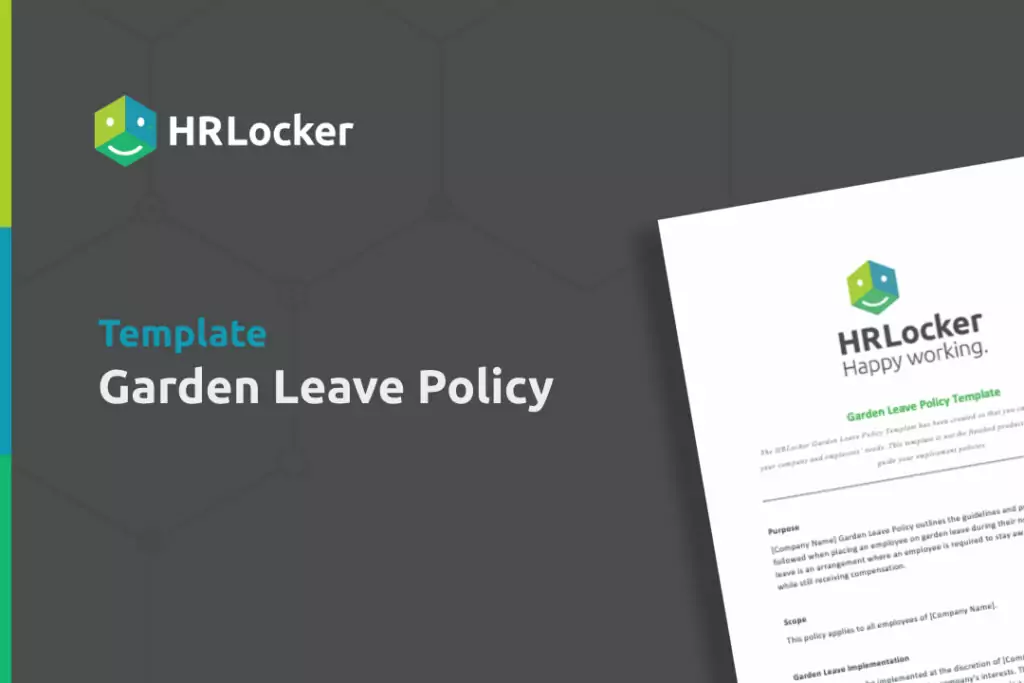
Free Garden Leave Policy Template

The HRLocker Garden Leave Policy Template outlines the guidelines and procedures to be followed when placing an employee on garden leave during their notice period.

This template has been created so that you can adapt the policy to your company and employees’ needs.

Garden Leave Policy Template


Employee Benefits of Garden Leave

Reflect and recharge

Garden leave offers employees the opportunity to reflect on their career trajectories, recharge their mental batteries, and evaluate their personal and professional goals.

Skill Enhancement

During this time, individuals can focus on enhancing their skills, acquiring new knowledge, and even pursuing certifications that could boost their future career prospects.

Networking

Garden leave can be a prime opportunity to expand professional networks. It gives employees time to attend workshops, seminars, and networking events relevant to their field.

Job search

With a reduced workload, individuals can dedicate time to a strategic job search, tailoring their CVs, perfecting their LinkedIn profile, and reaching out to potential employers.

Transition planning

If the employee is transitioning to a new job, garden leave provides the chance to smoothly transition out of their current role, complete projects, and ensure a smooth handover process.

Ultimately, placing an employee on garden leave can be costly and is typically reserved for senior employees or those with access to sensitive information (C-level executive positions and sales positions, for example). Nevertheless, proactive measures are invaluable. Ensuring the presence of a garden leave clause within employment contracts, securing employee signatures on the agreement, and storing it safely for convenient access using an online HR data storage solution like HRLocker will position you to respond effectively should the need for its implementation arise.

What You Need To Know About Garden Leave was last modified: July 17th, 2024 by Jenny Martin

(more…)

9 min read

As your startup grows, storing employee data in one platform, managing timesheets in a separate tool and overseeing recruitment in another just isn’t sustainable. You’re losing time navigating between systems and trying to apply outdated processes to new issues when you could be supporting employees and improving productivity.

But with the best HR software, you can centralise key employee data and automate processes for increased efficiency, accuracy and ease. But finding a platform that accommodates your needs as you scale operations is another time-consuming challenge.

That’s why, in this article, we list the best HR software for startups in the UK. As well as looking at what features and qualities to look for in your HR solution, we discuss an all-in-one HR platform that comes with award-winning customer care (yes, it’s ours!).

By exploring our insights and recommendations, you’ll see how automation and self-service tools can enhance the employee experience while also reducing your workload.

Book A Free Demo

Support your people and save time as you scale with an all-in-one HR solution that’s trusted by over 55,000 users

The Key Considerations Behind Our HR Software Recommendations

To oversee a range of projects, optimise efficiency and hire and retain employees within budget, you need user-friendly solutions that grow with your needs. So the HR software you implement should:

  • Centralise key information such as employee data, certifications and digital signatures within a platform and as part of a set of processes that are GDPR-compliant
  • Automate processes like time-tracking and performance reviews so you have a scalable solution in place for essential daily tasks
  • Provide a self-service portal where employees can request leave, manage documentation and update personal details
  • Be intuitively simple to use, have a fantastic customer success team and share a range of professional learning materials

Find the right cultural fit

The most successful relationships aren’t just about features, user experience and compliance; you need to share core values with the teams and individuals you’ll be relying on to be responsive to your challenges, provide key insights when you need them and support as you request it.

At HRLocker, our core values include initiative, integrity and making a positive impact. The platforms we recommend are built to address the challenges you face, which is why this list includes solutions that facilitate positive workplace cultures, employee engagement, and increased productivity.

Best HR Software for Startups

Here you’ll find more information about HRLocker, as well as all our top recommendations for a centralised HR solution. We include reviews, pricing information, and key features that align with the criteria above.

HRLocker

HRLocker is an all-in-one HR solution created by HR professionals for HR professionals. While HRLocker is used in over 55 countries with more than 55,000 active users from a wide range of industries and business types, startups mostly choose it because of its centralised database, automated processes, scalability, dedicated support and company values.

At its heart, HRLocker operates as a meritocracy—a transparent culture where ideas are shared freely and initiative is rewarded. This has created a platform that continually develops, values extreme accountability, and is a trustworthy partner at implementation and beyond.

HRLocker is also committed to maintaining and promoting ethical standards and creating a positive impact. As an exponential organisation, they have a massive transformative purpose (MTP) to guide them. This is to make life and work easier for both employees and employers.
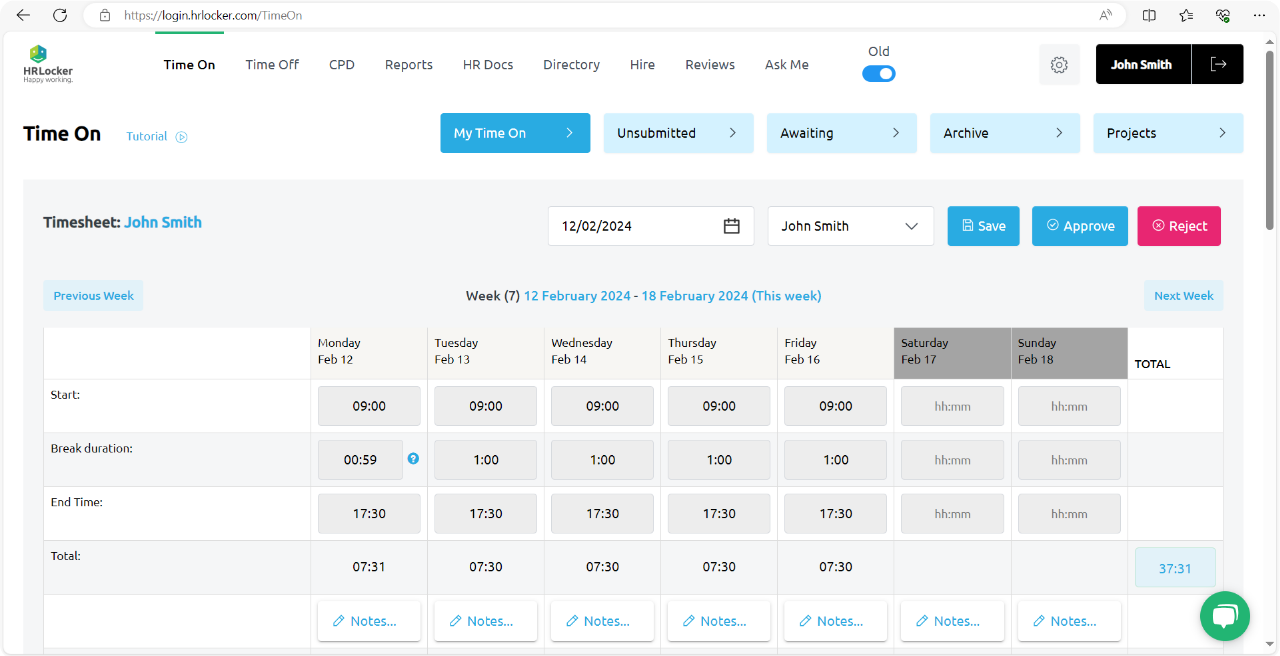
HRLocker Time On Screen

What makes it special 

HRLocker has an award-winning customer success team that includes implementation specialists. Together, they focus on delivering a frictionless onboarding process and provide ongoing support with dedicated customer care agents.

When you join, you’ll have access to a wealth of resources, including webinars, podcasts, how-tos, and template policies for key HR topics such as compliance, sick leave, and the gender pay gap.

HRLocker’s self-service portal and mobile app play an essential role in its scalability as a solution, as do its automations and streamlined workflows for areas including PTO approvals, TOIL and payroll exports.

Access a free employee handbook to streamline information handover and encourage employee accountability. This is just one of HRLocker’s fantastic digital resources.
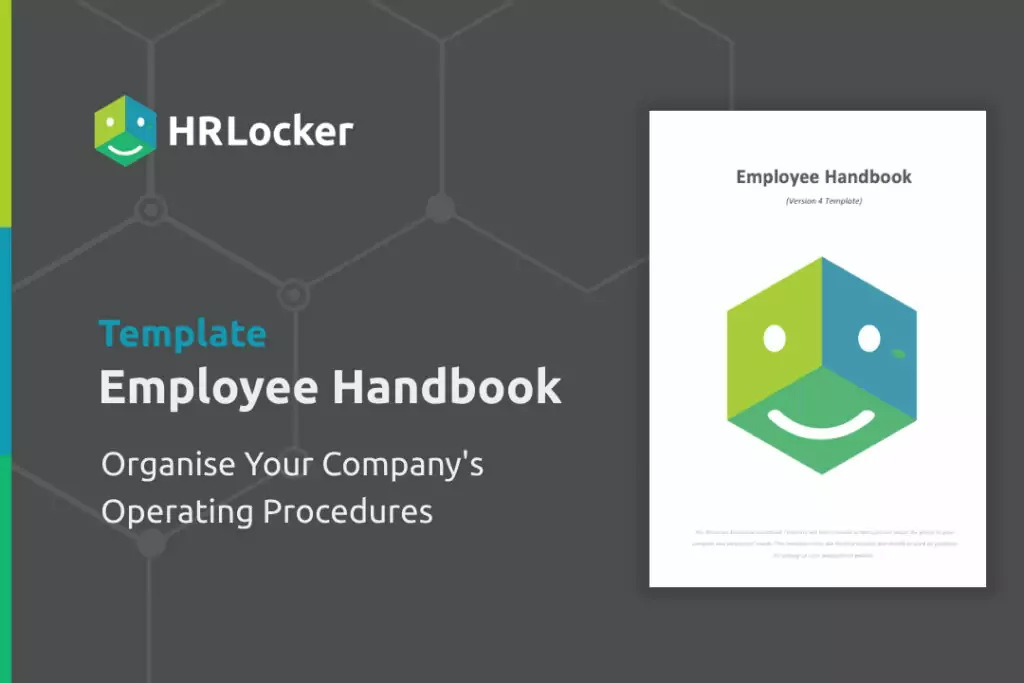
Employee Handbook Template

Features you’ll love

  • Simplify time-tracking by allowing employees to log their own hours in-app and verifying remote work with GPS tracking
  • Create a great employee experience with a mobile app where individuals can request time off, manage training programmes and more
  • Centralise your recruitment process with HIRE, where you can create job posts, interview and onboard candidates
  • Reduce stress around compliance with streamlined processes for timesheets, holiday, sick leave and data protection

Pricing 

HRLocker Plan Who’s it suited for? Pricing
HR Essentials Teams with 15+ employees, to manage day-to-day HR operations & tasks €4/£3.50/$5
HR Professional Teams with 15+ employees, to manage hybrid or remote employees €6/£5.50/$7
HR Enterprise Teams of 250+ employees looking for flexible HR solutions Tailored quote

User experience 

“HRLocker is an excellent tool. It’s used daily in our company by each employee. It’s a safe place for us to store our policies and procedures so that they can be signed and reviewed over and over again when required. HRLocker has some great features but one that I have to call out is their customer support. There is always someone available to help when it’s needed,” Lorraine C. (People & Culture Officer).


Book A Free Demo

Support your people and save time as you scale with an all-in-one HR solution that’s trusted by over 55,000 users


Access People HR 

Access People HR is a cloud-based human resources management system (HRMS) established in 1991. Initially founded as a provider of software solutions for the UK, Access People HR has since expanded to serve clients in over 50 countries.

Because it’s intended to be a simple and scalable solution, Access People HR is well-suited for startups. In one place, you can review headcount against tracked hours and plan for how many team members you’ll need for new projects.
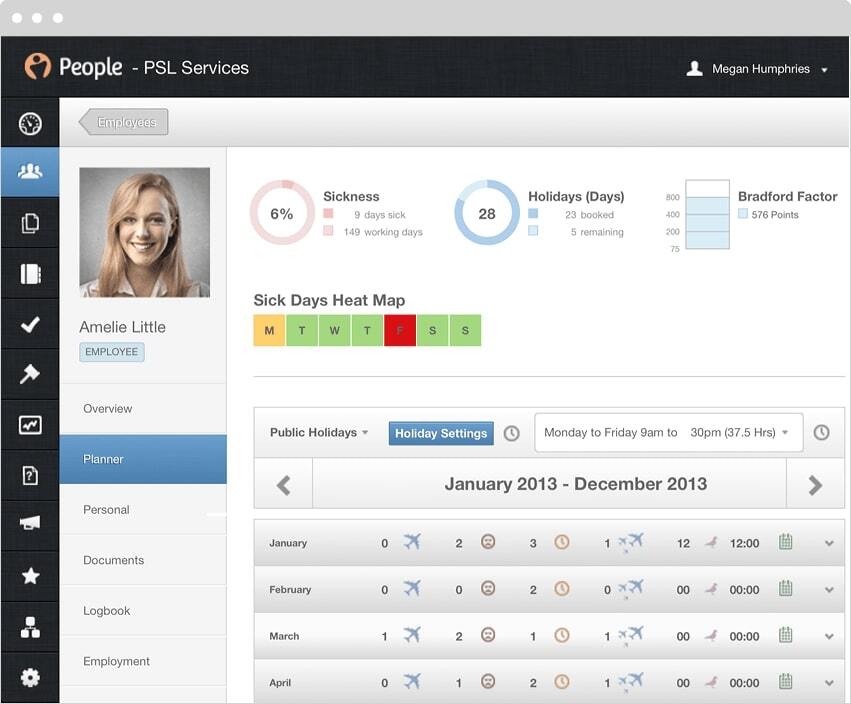
Screenshot of Access People HR

View key metrics at a glance in Access People HR’s dashboard. Source

Key features

  • A people-planning function to manage headcount
  • Centralised recruitment and onboarding, including integrated document checking
  • A database where you can easily store employee information
  • Reports on metrics such as turnover costs, holiday planning and demographics

Pricing 

Access People HR offers a free trial. It then offers a range of plans, priced from £3 to £10.50 per employee per month.

User experience 

They take on board the feedback from users and are pushing out really good updates… I can’t fault the customer service, who have always come back to me whenever I have had an issue,” Kirsty K. (HR Manager).

Breezy HR 

Breezy HR was created in 2014 when the founders recognised the need for a more streamlined and modern approach to recruitment. From its candidate-friendly applicant tracking system (ATS) to its intuitive dashboards that show you the status of every jobseeker, it has a range of features to support you throughout the hiring process.

Like HRLocker’s recruitment and onboarding solution, Breezy HR works to centralise essential details. You can cut the work involved in growing your team by centralising all candidate data in one location.
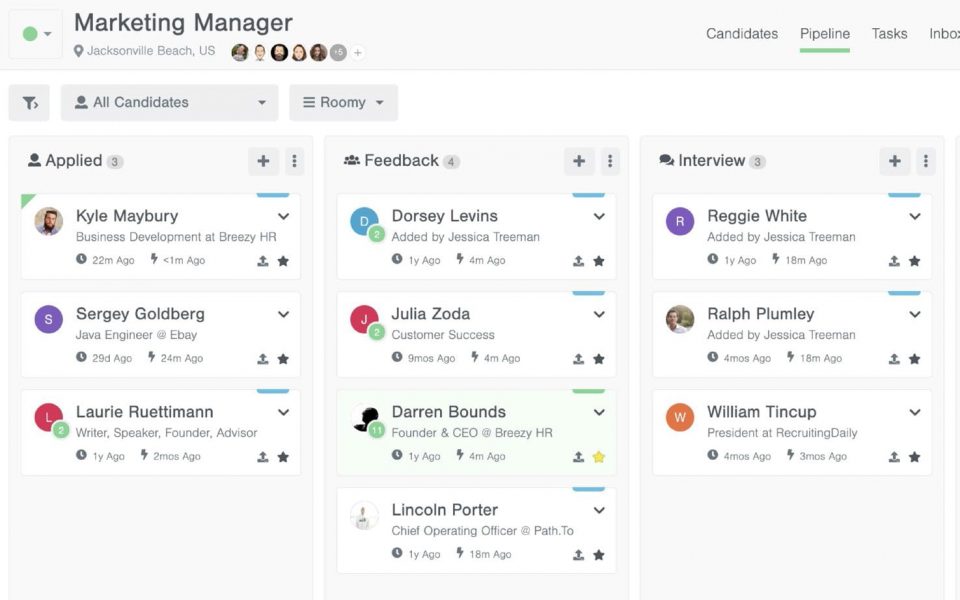
Screenshot of Breezy HR’s dashboard

Group candidates by recruitment stage inside Breezy HR. Source

Key features

  • A candidate management dashboard that brings together key information
  • Customisable career site builder
  • Integrations with over 50 job boards
  • Background checks and reports to help you stay compliant
  • A video interview platform for remote workers

Pricing 

Breezy HR provides a free plan that includes basic hiring tools. For organisations seeking background screening and more advanced applicant tracking features, plans range from $157 to $439 per month.

User experience 

Being able to have a one-stop shop for posting a position and tracking applicants is wonderful. Having one place to go to make notes, text/email a candidate, and to track the applicant process is amazing,” Andi W., Supervisor.

Breathe HR

Established in 2012, Breathe HR was founded to help companies drive employee engagement and reduce time spent on HR processes. As such, it offers automated tools and an extensive range of solutions for employee well-being. This includes a hub of resources to help individuals manage stress and improve their mental health.

The platform’s intuitive user interface and customisable features make it easy for startups to set up and use, even with limited HR expertise.
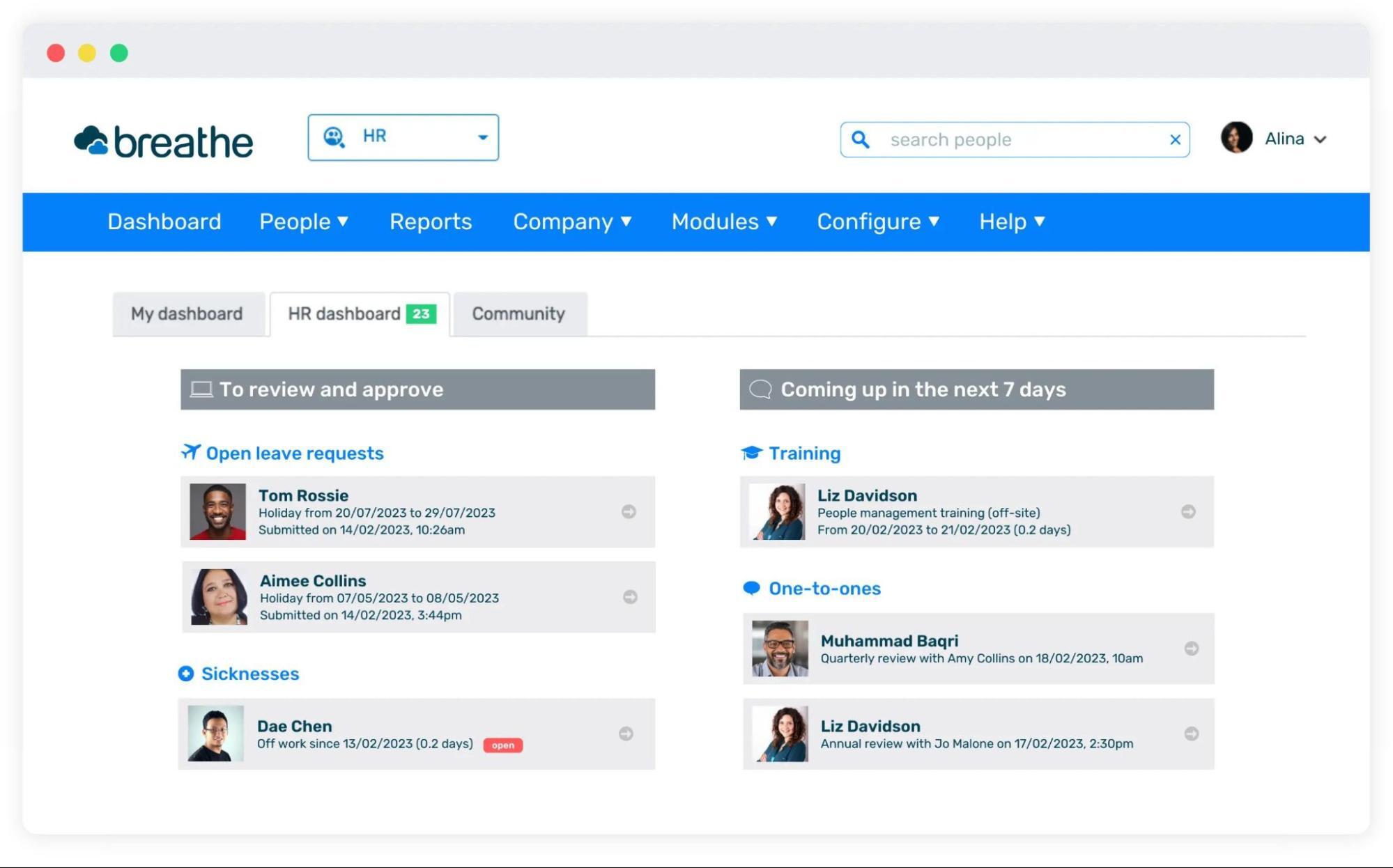
Screenshot of Breathe HR’s dashboard

View your imminent tasks easily inside Breathe HR. Source

Key features

  • Cloud-based data storage for employee data
  • Recruitment software with applicant tracking
  • Absence management solution which your employees can use to request time off
  • Appraisals software to easily track employee performance and give recognition
  • Reporting on absences, time-tracking and finances

Pricing 

Breathe HR offers six packages, starting at £22/month per business and increasing depending on which features and add-ons you choose. You pay more for HR support, additional users and recruitment functionality.

User experience 

Providing our team with a self-service HR dashboard has helped us to stand out as a modern employer, whilst at the same time driving increased efficiency and ensuring a more up-to-date, tighter controlled HR database,” Dan M., Commercial Director.

Bamboo HR

Bamboo HR was founded in 2008 with the aim of automating tedious HR tasks to allow teams to focus on supporting employees. With its intuitive interface, users can manage PTO, time-tracking, and talent management with less manual effort.

The HR platform also includes an employee well-being tool, which allows team members to share how they feel about their work and organisational culture. This helps you to address startup burnout before it impacts employee mental health or productivity.
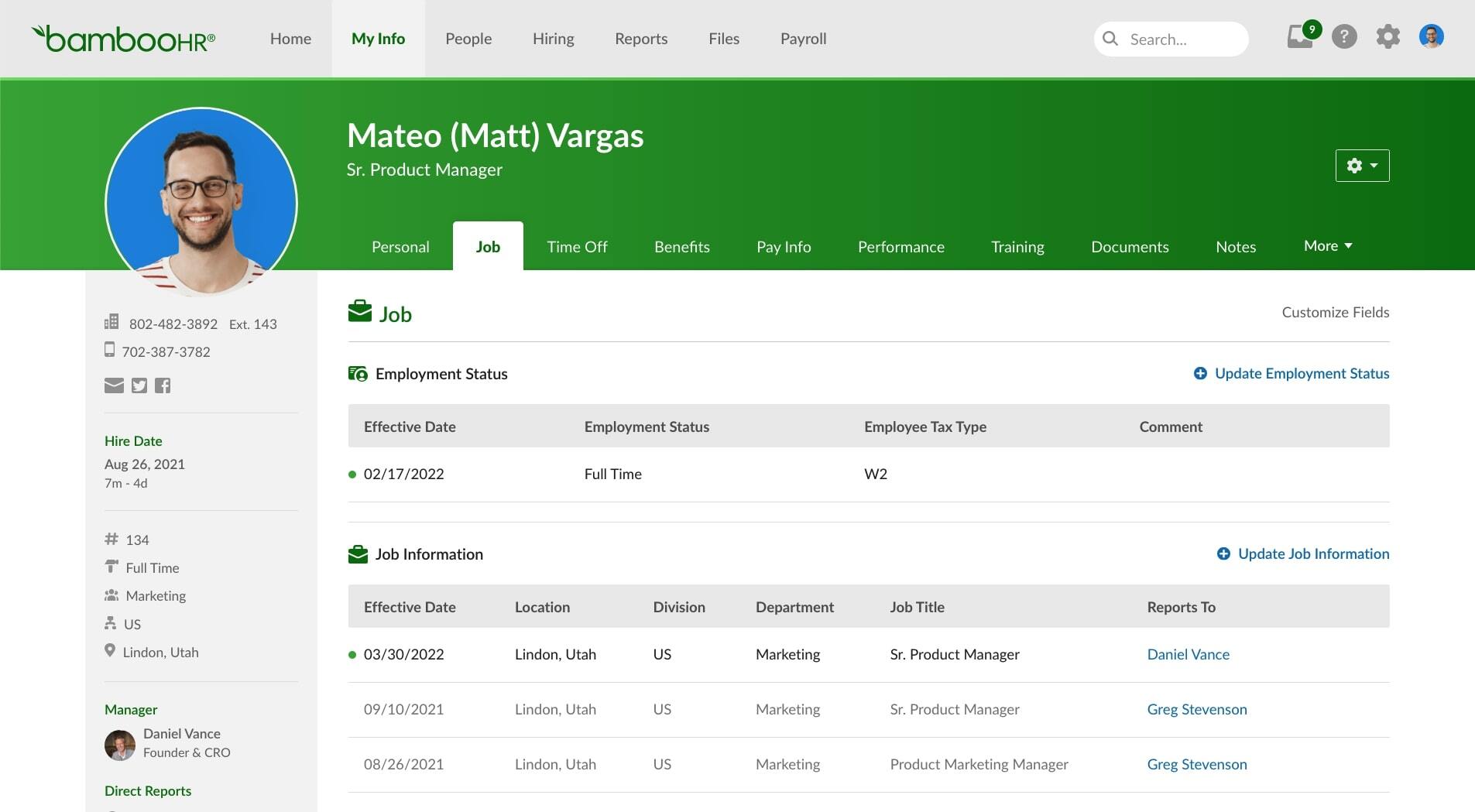
Screenshot of the Bamboo HR dashboard

Centralise each employee’s data in Bamboo HR. Source

Key features

  • GDPR-friendly employee database
  • Applicant tracking system and onboarding tools
  • Time-tracking system that allows employees to clock in and out and calculates PTO
  • Performance management where you can give recognition to employee strengths
  • An app that gives administrators and employees access to most of the functionality accessible from a desktop browser

Pricing 

BambooHR doesn’t publish pricing information on its site. Instead, you have to get in touch with the sales team for a quote.

User experience 

BambooHR is very user-friendly. It has a clean layout and can be customised based on the needs of the organisation. The overall site is easy to navigate and has the tabs that I need to manage employee data,” Kylie Z., HR Officer.

HR Software that Grows with Your HR Team

HR software replaces the mountains of spreadsheets that start to pile up as your startup scales. Between self-service solutions for time-tracking and automated workflows for recruitment, you’ll gain the time back you need to focus on your employees.

But there’s no point in having great HR management software if it takes weeks for you and your team members to understand it. That’s why you need a solution like HRLocker, who provide award-winning customer support and whose platform and mobile app are intuitive and simple to use.

When you use our platform, you not only centralise your HR data and processes but also gain access to a single source of truth that the whole team can access. Our team is passionate about providing you with all the tools you need to reduce your workload and enhance employee engagement as your company grows.

Book A Free Demo

Support your people and save time as you scale with an all-in-one HR solution that’s trusted by over 55,000 users


Frequently Asked Questions about HR Software for UK Startups

What are the benefits of HR software for startups?

HR software solutions enable startups to save time as they manage projects, oversee recruitment, hold performance reviews and track employee hours. By automating the processes involved and centralising key data, they reduce manual work, make compliance less stressful and give you time to focus on engagement and productivity.

What are the most important factors to consider when choosing HR software?

To stay on top of compliance, oversee projects and manage employees with varying hours as you scale operations, you need an HR solution that centralises key processes and employee information. Your HR software should automate manual tasks, be GDPR-compliant, and provide employees with a self-service portal.

5 Best HR Software Solutions for UK Startups was last modified: July 22nd, 2025 by Agile Communications
(more…)